How To Delete A Profile
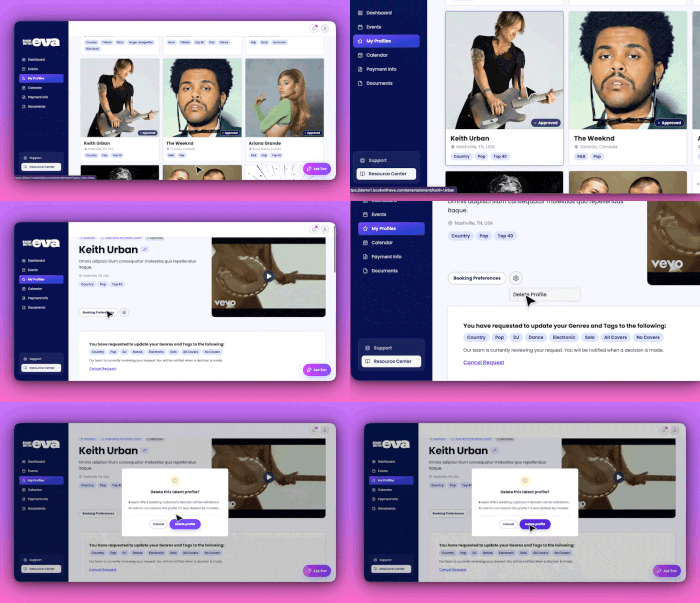
To delete a profile for your talent account, navigate to your Book with Eva Talent roster. Select the profile you would like to delete. At the top of the profile you will find a gear icon next to "bo…

Updated
by EVA Support
To delete a profile for your talent account, navigate to your Book with Eva Talent roster. Select the profile you would like to delete. At the top of the profile you will find a gear icon next to "booking preferences". Click the gear icon button, you will be prompted to delete your profile. Confirm by clicking the purple delete profile button.
How did we do?
Event Planner Types
Contacting Planner Once Event is Booked